


Table of Contents
Introduction: Best Vector Databases 2025 and Why You Need One
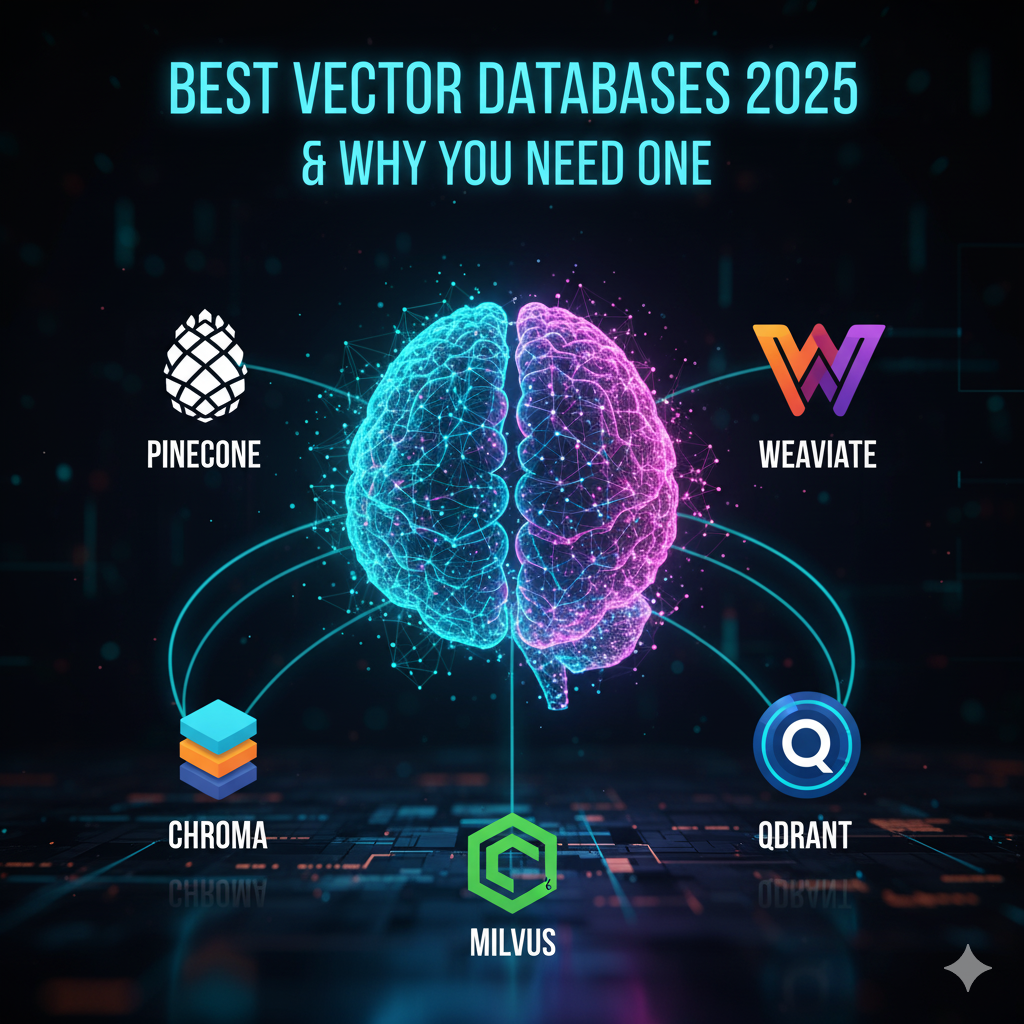
The Best Vector Databases 2025 are among the most searched topics in AI today — and for good reason. In 2025, AI systems don’t just rely on large language models (LLMs) like GPT; they also depend on vector databases to store, recall, and retrieve information intelligently.
Imagine asking a chatbot about your previous queries or documents — it responds instantly, understanding context, meaning, and relevance. That’s the power of vector databases.
Vector databases store embeddings — numerical representations of meaning — allowing AI to find similar content based on semantics rather than just keywords. Choosing the Best Vector Databases 2025 can make a huge difference in building fast, scalable, and accurate AI applications.
In this blog, we’ll explore the top 5 vector databases in 2025 — Pinecone, Weaviate, Milvus, Chroma, and Qdrant — and guide you step by step on how to sign up, log in, and start using each one, even if you’re completely new to vector databases.
1. Pinecone — Best Cloud-Native Vector Database in 2025
Website: https://www.pinecone.io
Pinecone is widely regarded as one of the Best Vector Databases 2025 for cloud-native AI applications. As a fully managed platform, it handles servers, scaling, and deployment automatically, making it an ideal choice for developers who want a production-ready vector database without the infrastructure headaches.
With Pinecone, you can store, index, and search billions of vectors in real time, ensuring fast and accurate semantic search for your AI projects. Among the top vector databases 2025, Pinecone stands out for its serverless scalability, metadata filtering, and seamless integrations with tools like LangChain, OpenAI, and LlamaIndex.
🔹 Key Features
- Serverless and scalable: Automatically handles billions of vectors.
- Real-time search: Millisecond latency for queries.
- Metadata filtering: Combine vector and structured search.
- Integrations: Works perfectly with LangChain, OpenAI, and LlamaIndex.
How to Sign Up and Use Pinecone
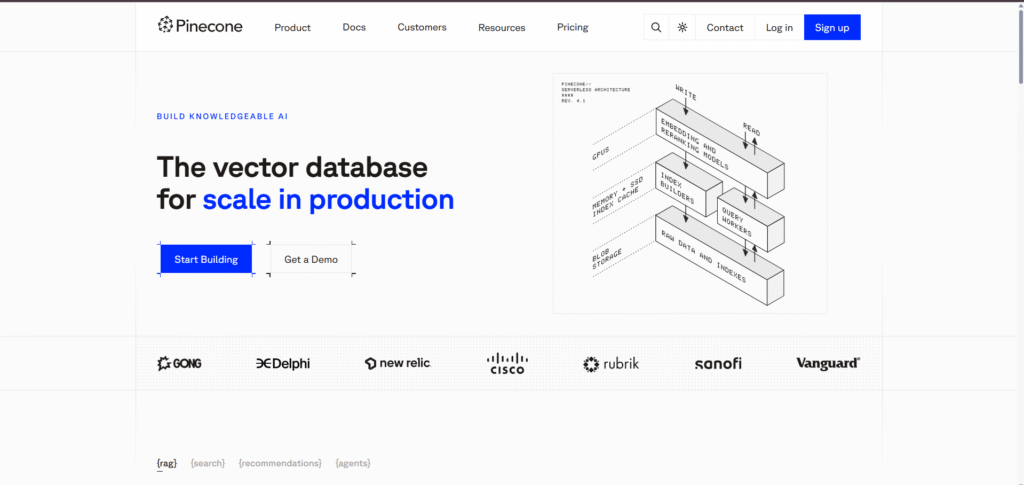
Step 1: Visit the Official Website
Go to 👉 https://www.pinecone.io and click “Sign Up” in the top-right corner.
Step 2: Create an Account
You can sign up using Google, GitHub, or your email address.
After registration, confirm your email to activate your account.
Step 3: Log In
Go to https://app.pinecone.io → enter your credentials to access the Pinecone dashboard.

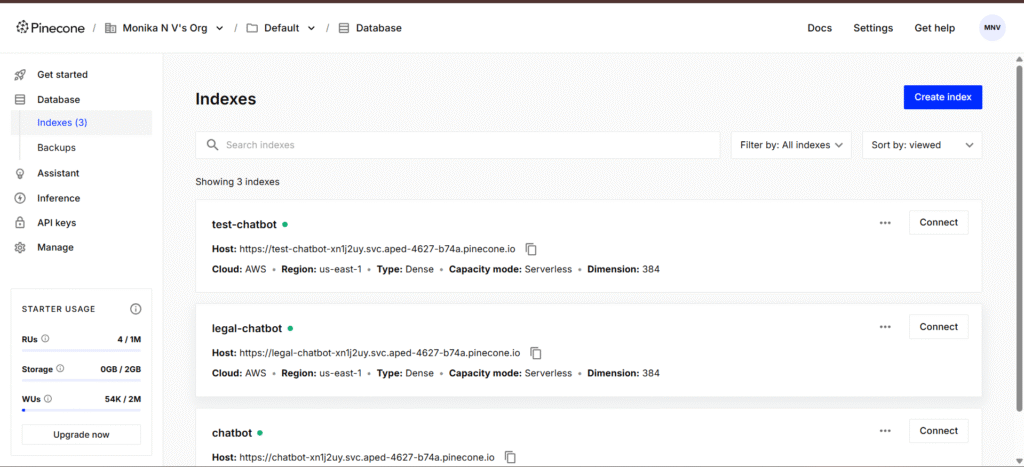
Step 4: Create a New Index
- Click “Create Index”
- Choose your metric type (cosine, dot product, or Euclidean)
- Set dimensions (e.g., 1536 for OpenAI embeddings)
- Click Create
Step 5: Use Pinecone in Your Code
Install the Python client:
pip install pinecone-client
Then initialize and insert vectors:
import pinecone

pinecone.init(api_key="YOUR_API_KEY", environment="us-west1-gcp")

index = pinecone.Index("my-index")
index.upsert([
    ("vec1", [0.1, 0.2, 0.3]),
    ("vec2", [0.2, 0.3, 0.5])
])
You’re ready to perform vector search queries using embeddings from OpenAI or Hugging Face.
Pros
- Easiest managed vector DB
- Excellent performance and uptime
- Great for production systems
Cons
- Cloud-only, not local
- Paid beyond free tier
Best For
Developers who need a production-ready vector database that “just works.”
2. Weaviate — Best Open-Source Hybrid Vector Database
Website: https://weaviate.io
Weaviate is a fully open-source vector database that ranks among the Best Vector Databases 2025 for hybrid AI search. It allows developers to combine semantic (vector) and keyword search, providing the flexibility to handle both structured and unstructured data.
This platform is perfect for developers and researchers seeking transparency, customization, and advanced AI integrations. As one of the top vector databases 2025, Weaviate supports GraphQL and REST APIs, cloud or self-hosted deployments, and AI modules for OpenAI, Cohere, and Hugging Face. Whether you are building semantic search engines, recommendation systems, or AI-driven applications, Weaviate offers the control and extensibility you need.
🔹 Key Features
- Open-source and extensible
- Hybrid search combining vectors + keywords
- GraphQL and REST APIs
- AI modules for OpenAI, Cohere, Hugging Face
- Cloud and self-hosting options
How to Sign Up and Use Weaviate
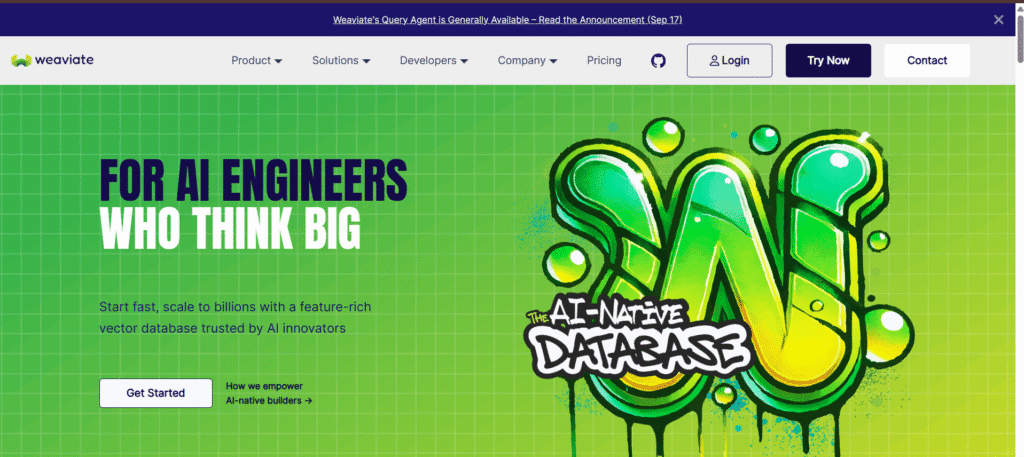
Step 1: Visit the Website
Go to https://weaviate.io and click “Start Free”.
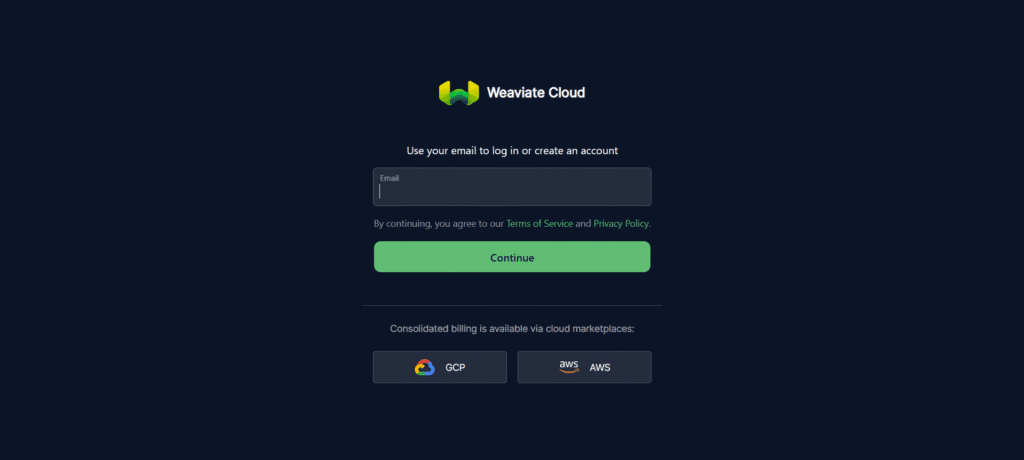
Step 2: Create Account
Sign up with email.
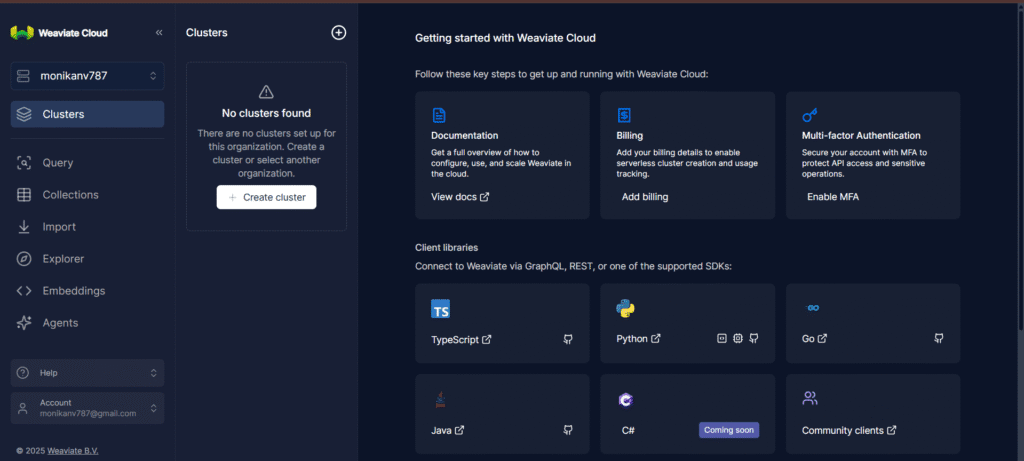
Step 3: Log In to the Console
Log in at https://console.weaviate.cloud.
You’ll land on your Weaviate cluster dashboard.
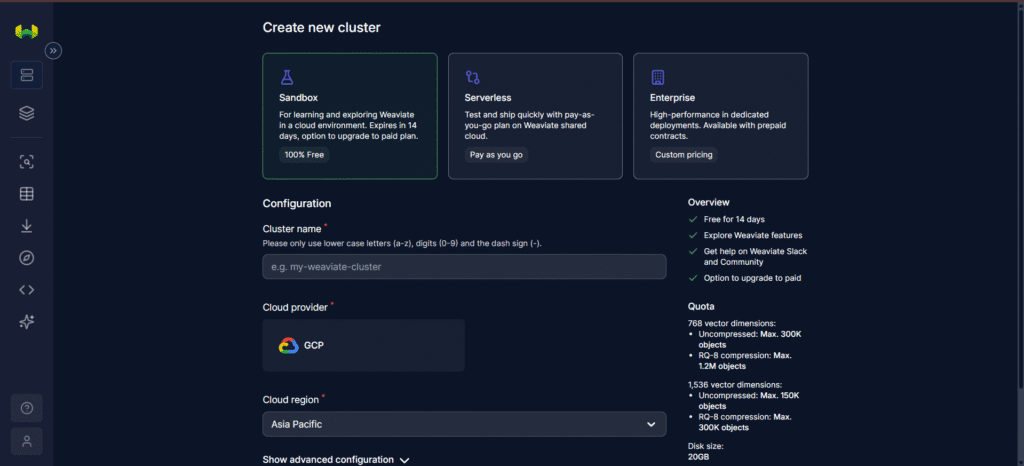
Step 4: Create Your Cluster
- Click “New Cluster”
- Choose region and configuration (Sandbox or Dedicated)
- Wait a few minutes — your cluster will be live.
Step 5: Connect from Python
pip install weaviate-client
import weaviate

client = weaviate.Client("https://your-cluster.weaviate.network")
client.schema.get()  # Check schema
Now you can create classes, import data, and perform semantic searches.
Pros
- 100% open source
- Hybrid search capability
- Flexible APIs and integrations
Cons
- Slightly complex setup
- Needs configuration for scaling
Best For
Developers and researchers who prefer open-source control and hybrid AI search.
3. Milvus — Best Scalable Vector Database for Enterprise AI
Website: https://milvus.io
Milvus is one of the earliest and most powerful open-source vector databases, making it one of the Best Vector Databases 2025 for enterprise AI applications. Built to handle billions of vectors, Milvus excels in large-scale, high-performance vector search, ensuring your AI systems remain fast and reliable even with massive datasets.
As a leader among the top vector databases 2025, Milvus offers multiple indexing options like HNSW and IVF_FLAT, distributed architecture for scalability, and strong integrations with PyTorch, TensorFlow, and LangChain. Whether you are building enterprise-grade AI solutions, research pipelines, or big data applications, Milvus provides the performance, reliability, and flexibility you need.
🔹 Key Features
- Distributed architecture for large-scale AI workloads
- Multiple index types (HNSW, IVF_FLAT)
- Zilliz Cloud for managed hosting
- Strong integrations with PyTorch, TensorFlow, and LangChain
How to Sign Up and Use Milvus
Step 1: Go to Zilliz Cloud
Visit https://zilliz.com/cloud — it’s the managed service for Milvus.
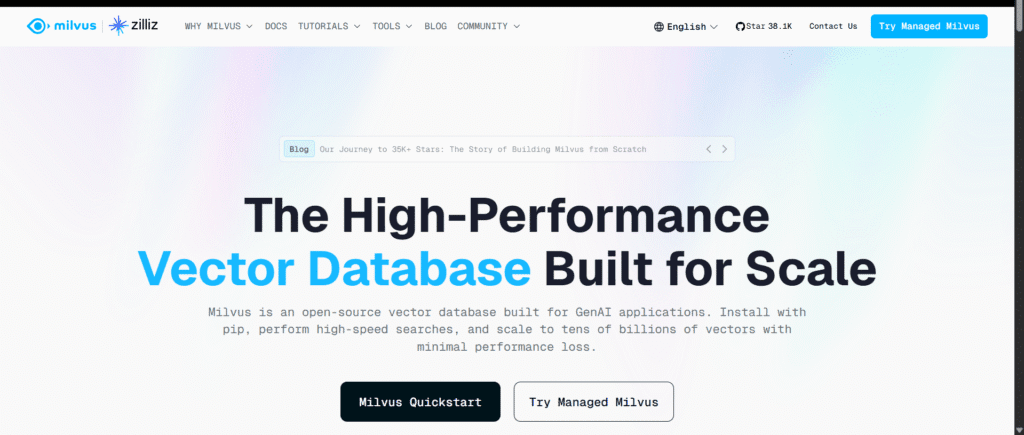
Step 2: Sign Up
Register using email or social login, then verify your email.
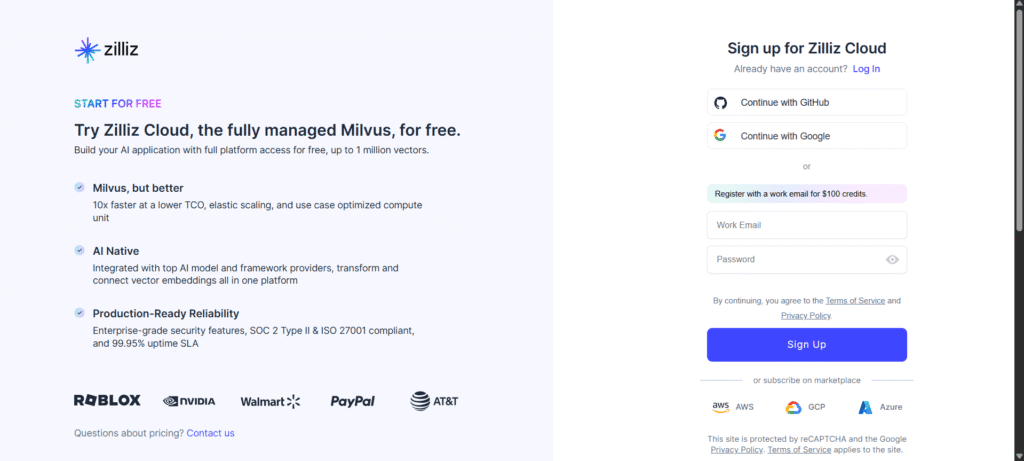
Step 3: Log In
Access your dashboard → click “Create Cluster” → choose Free Tier or Standard.
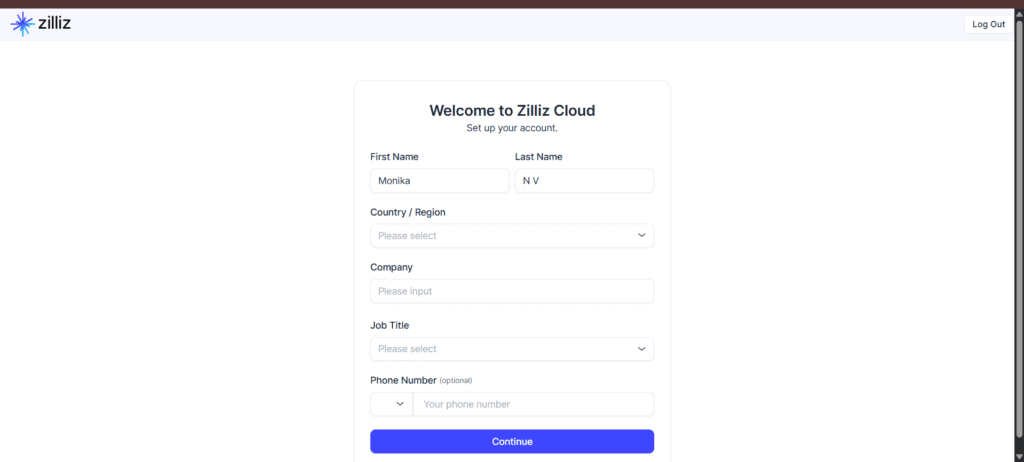
Step 4: Create Your Cluster
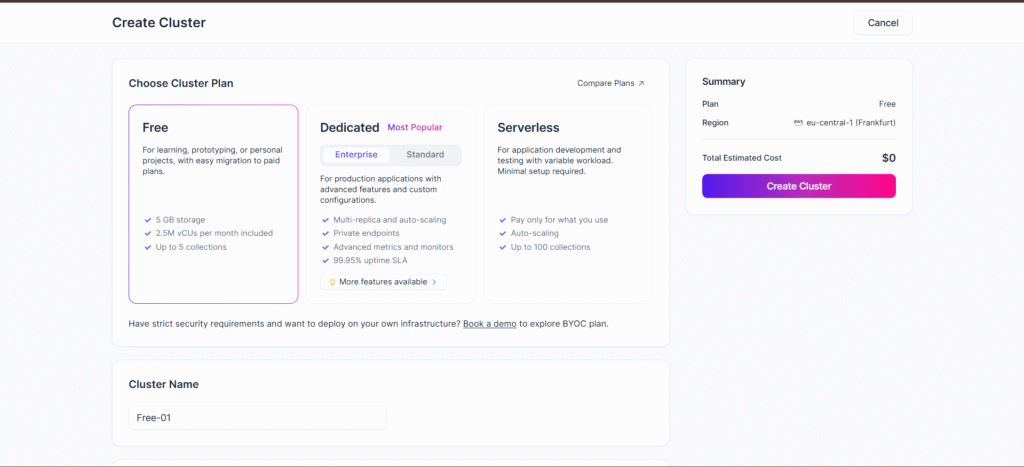
Step 5: Connect via Python SDK
pip install pymilvus
from pymilvus import connections, Collection

connections.connect("default", uri="your-cluster-uri")

collection = Collection("test_collection")
print(collection.schema)
You can now insert embeddings and perform searches.
Pros
- Extremely scalable
- Great performance
- Enterprise-ready
Cons
- Complex setup for local use
- Best for advanced users
Best For
Enterprise AI applications, research labs, and big data engineers.
4. Chroma — Best Local Vector Database for Prototyping
Website: https://www.trychroma.com
Chroma is a lightweight, local-first vector database, making it one of the Best Vector Databases 2025 for prototyping and rapid AI development. It’s ideal for developers, students, and beginners who want to experiment with vector search without setting up complex cloud infrastructure.
As one of the top vector databases 2025, Chroma integrates seamlessly with LangChain, allowing you to quickly create, store, and query embeddings on your local machine. Its open-source design, simple setup, and persistence features make it perfect for testing AI concepts, building prototypes, and exploring semantic search workflows before moving to production-grade solutions.
🔹 Key Features
- Local database — runs easily on your system
- Integrates with LangChain
- Simple setup and persistence
- Free and open-source
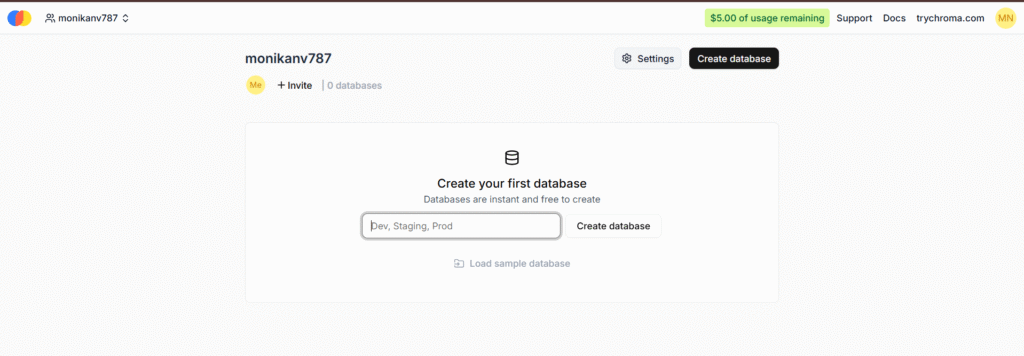
How to Install and Use Chroma
Step 1: Install
pip install chromadb
Step 2: Create a Collection
import chromadb
client = chromadb.Client()
collection = client.create_collection("my_collection")
Step 3: Insert Data
collection.add(
    documents=["AI is powerful", "Vector search is the future"],
    ids=["1", "2"]
)
Step 4: Query
results = collection.query(
    query_texts=["What is AI?"],
    n_results=2
)
print(results)
Done — your local semantic search is live!
Pros
- Extremely easy to use
- Great for prototypes and local testing
- Works well with LangChain
Cons
- Not built for huge datasets
- Lacks distributed scaling
Best For
Beginners, students, and developers who want quick AI experiments without cloud setup.
Got it! You want to replace the FAISS section in your blog with Qdrant, so your blog now has full-featured vector databases that include signup/login, cloud use, and production-ready examples.
Here’s the updated section to replace FAISS in your blog:
5. Qdrant — Best Open-Source Vector Database for Production AI
Official Website: https://qdrant.io
GitHub Repository: https://github.com/qdrant/qdrant
Qdrant is a high-performance, open-source vector database, ranking among the Best Vector Databases 2025 for production-ready AI applications. Unlike FAISS, Qdrant is a full-featured database that supports metadata, filtering, cloud hosting, and APIs, making it ideal for semantic search, recommendation engines, and RAG pipelines.
As one of the top vector databases 2025, Qdrant offers REST and gRPC APIs, Docker and Kubernetes support, and scalable performance for both startups and enterprises. Its combination of cloud readiness, metadata handling, and integration capabilities makes Qdrant a versatile choice for developers building production-grade AI systems.
🔹 Key Features
- Open-source and cloud-ready (Qdrant Cloud available)
- Supports payloads (metadata) for filtering search results
- High-performance vector search (optimized for large datasets)
- REST & gRPC APIs for easy integration
- Docker & Kubernetes support for production deployment
How to Sign Up and Use Qdrant
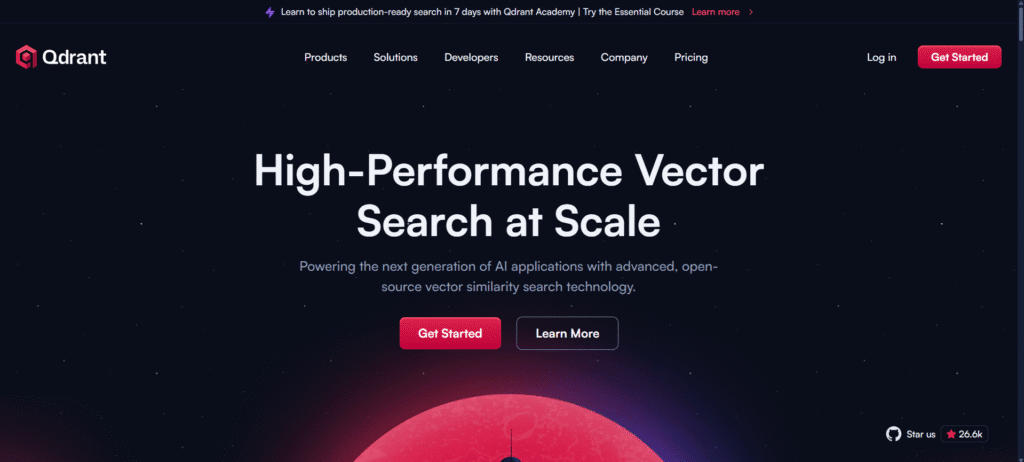
Step 1: Visit the Official Website
Go to 👉 https://qdrant.io and click “Sign Up” to create a cloud account.
Step 2: Create Account
Register using email or GitHub, then confirm your email.

Step 3: Log In
Access the Qdrant Cloud Dashboard: https://cloud.qdrant.io
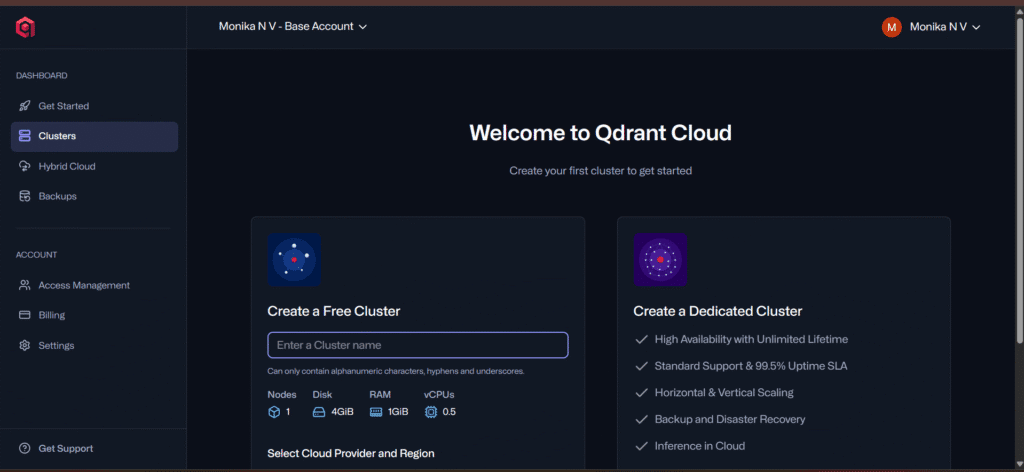
Step 4: Create a New Collection
- Click “Create Collection”
- Set name, vector size, and distance metric (cosine, dot, or Euclidean)
- Click Create → your collection is ready for vector storage
Step 5: Use Qdrant with Python
Install the Python client:
pip install qdrant-client
Example usage:
from qdrant_client import QdrantClient
from qdrant_client.models import PointStruct

client = QdrantClient(url="https://YOUR_CLOUD_ENDPOINT")

# Create a collection (if not created via dashboard)
client.recreate_collection(
    collection_name="my_collection",
    vector_size=1536,
    distance="Cosine"
)

# Add vectors with metadata
client.upsert(
    collection_name="my_collection",
    points=[
        PointStruct(id=1, vector=[0.1, 0.2, 0.3], payload={"text": "Hello world"}),
        PointStruct(id=2, vector=[0.2, 0.3, 0.5], payload={"text": "Vector search"})
    ]
)

# Search similar vectors
results = client.search(
    collection_name="my_collection",
    query_vector=[0.1, 0.2, 0.3],
    limit=2
)
print(results)
Your Qdrant cloud database is ready for production-grade vector search.
Pros
- Open-source and cloud-hosted
- Supports metadata filtering
- Easy integration via REST/gRPC and Python
- Production-ready for startups and enterprises
Cons
- Slight learning curve for self-hosted setups
- Cloud version may cost at scale
Best For
AI developers, startups, and enterprises building RAG pipelines, chatbots, recommendation engines, or semantic search applications.
Comparison Table — Best Vector Databases 2025
| Database | Type | Hosting | Best Feature | Ideal User |
|---|---|---|---|---|
| Pinecone | Managed | Cloud | Serverless & scalable | Production AI apps |
| Weaviate | Open Source | Cloud / Local | Hybrid search | Custom AI systems |
| Milvus | Open Source | Cloud / Local | Enterprise scaling | Big data workloads |
| Chroma | Open Source | Local | Simple LangChain integration | Beginners & students |
| Qdrant | Open Source | Cloud / Local | Metadata filtering & scalable | RAG pipelines, semantic search |
Conclusion
Each vector database serves a different need:
- Pinecone — easiest for production.
- Weaviate — best open-source hybrid.
- Milvus — enterprise scalability.
- Chroma — local testing and LangChain experiments.
- Qdrant — full-featured, open-source database with metadata and cloud support.
In 2025, these tools are shaping how AI systems store, recall, and reason. By understanding and using the Best Vector Databases 2025, developers can build smarter, faster, and more scalable AI applications.
Whether you are working on RAG pipelines, semantic search, or chatbots, mastering the top vector databases 2025 like Pinecone, Weaviate, Milvus, Chroma, and Qdrant will take your AI projects to the next level.
Image Source Credits
- Pinecone – Pinecone.io
- Weaviate – Weaviate.io
- Milvus – Milvus.io
- Chroma – TryChroma.com
- Qdrant – Qdrant.io
You May Also Like
If you found this blog interesting, you might enjoy exploring more stories, tips, and insights in our