

Table of Contents
Have you ever imagined building a complete, beautiful website or full-stack app — without writing hundreds of lines of code?
Thanks to Lovable AI Website Builder, that dream is now real.
In today’s fast-moving world of AI-powered development, tools like Lovable.dev are changing how we create software. Whether you’re a developer, student, or startup founder, you can go from idea → functional product in just a few minutes.
In this in-depth blog, we’ll explore what Lovable.dev is, how it works, its top features, pricing model, real-world use cases, pros and cons, and why it’s becoming one of the most talked-about AI development tools in 2025.
What Is Lovable AI Website Builder?
Lovable.dev (commonly called Lovable AI Website Builder) is a next-generation platform that helps you create full-stack web apps directly from natural language prompts.
You simply describe your idea — and the AI automatically generates:
Frontend (usually React + Tailwind CSS)
Backend logic (API routes, authentication, CRUD operations)
Database integration (like Supabase or Firebase)
Deployment-ready project files
Think of it as your AI co-developer that understands both design and code.
It’s built to bridge the gap between no-code tools and developer-first AI assistants. So, you don’t just get drag-and-drop templates — you get real, editable source code that you can modify, extend, and deploy anywhere.
How to Sign Up, Log In, and Start Building with Lovable.dev
Here’s a complete beginner-friendly walkthrough to get started with Lovable AI Website Builder:
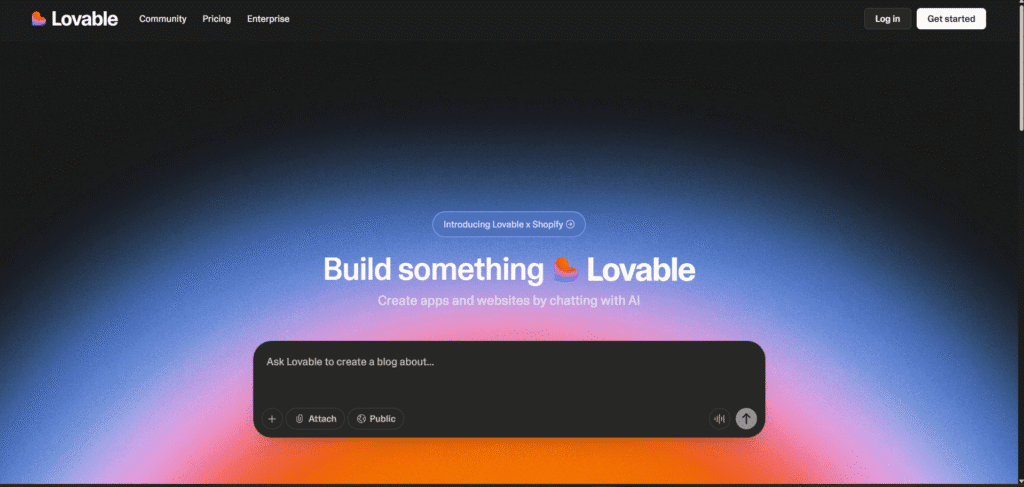
Step 1: Visit the Official Website
Go to https://lovable.dev
You’ll land on a clean homepage with a minimal UI and a “Start Building” or “Sign In” button.
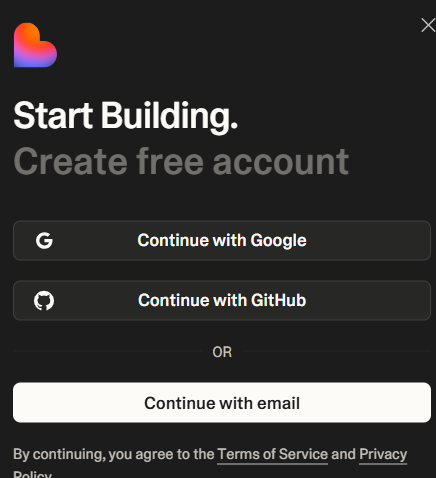
Step 2: Sign Up or Log In
Click “Start Building”.
You’ll be prompted to sign in using one of the following:
- Google account
- GitHub account
There’s no complex signup form — authentication happens instantly.
Tip: If you already have a GitHub account, use that — it makes exporting your code later much easier.
Step 3: Access the Dashboard
Once logged in, you’ll see your Lovable dashboard, which includes:
- “New Project” button
- Recent projects list
- Settings and account menu on top-right
Step 4 – Describe your idea
You start by entering a simple text prompt such as:
“I want to create a portfolio website for a cloud computing student with a contact form, blog section, and GitHub links.”
Lovable’s AI immediately interprets the request, generating design layout, color themes, and basic site structure.
Step 5 – Watch the AI build
Within seconds, you’ll see a real-time preview of your web app. The platform generates all the code — HTML, React components, Tailwind styling, and sometimes even backend endpoints.
Step 6 – Edit with the AI assistant
You can chat with the built-in AI to tweak things like:
- “Make the buttons rounded and blue.”
- “Add a testimonials section.”
- “Connect this to my Supabase backend.”
The system updates your code instantly, giving you both visual and code-level control.
Step 7 – Export or deploy
Once satisfied, you can:
- Export the full-stack source code to GitHub.
- Deploy directly via Vercel, Netlify, or your preferred hosting.
- Continue developing locally in VS Code or Cursor.
It’s that simple — from prompt to production in minutes.
Key Features of Lovable AI Website Builder
Let’s break down the standout features that make Lovable.dev a top AI development platform in 2025.
1. Full-Stack Generation
Unlike traditional no-code tools, Lovable doesn’t just generate a front page. It can build complete apps with backend routes, API integration, and even authentication modules.
2. Editable Source Code
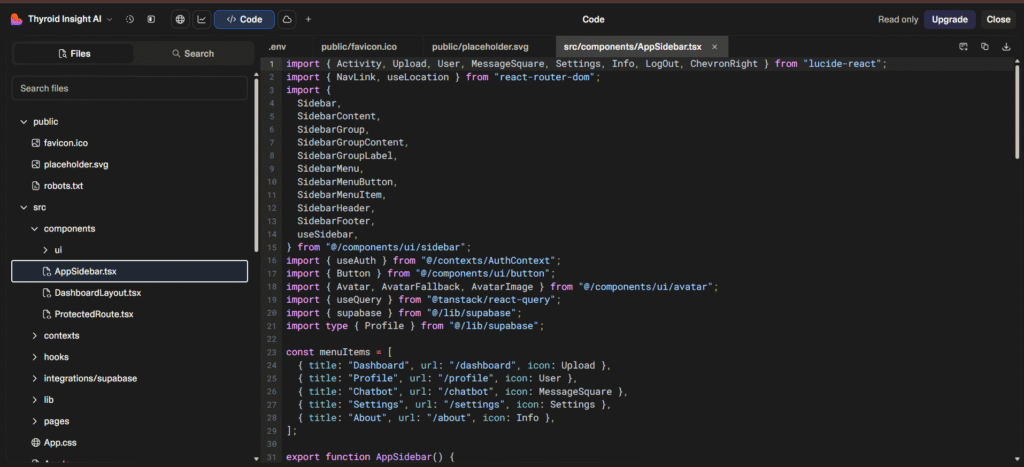
Every project you create comes with clean, human-readable code. You can download it, modify it, and use it like any regular project. This gives developers real flexibility.
3. Chat-Driven Development
The entire development workflow is conversation-based. You give natural-language instructions, and the AI instantly updates your app.
4. Modern Tech Stack
Lovable uses modern frameworks such as:
- React for frontend
- Tailwind CSS for styling
- Supabase or Firebase for backend & database
- Next.js for deployment-ready builds
This ensures your projects are fast, responsive, and production-grade.
5. Instant Preview
Every change you make is reflected immediately in a live preview. This feedback loop helps you experiment without breaking the project.
6. Deploy Anywhere
Once built, you can deploy to your own servers or popular platforms like Vercel, Render, or Netlify.
7. Team Collaboration
Teams can collaborate on the same project, share AI prompts, and work on different components simultaneously — great for group or academic projects.
Real-World Use Cases
Lovable.dev is versatile. Here’s how different users benefit from it:
🔹 Students & Learners
Perfect for college or lab-based projects (like DevOps or Cloud Computing modules). You can describe your experiment idea, generate an interface, and connect your backend logic.
Example prompt:
“Build a dashboard that visualizes cloud resource usage and supports real-time updates.”
🔹 Developers
For developers, it’s a productivity booster — use Lovable to scaffold your project structure, then fine-tune the code manually.
🔹 Startups & Founders
Great for creating MVPs and landing pages quickly. Instead of hiring a developer early, founders can get a working prototype in minutes.
🔹 Freelancers
Freelancers can generate portfolio sites, client prototypes, or quick demos to show potential clients.
How It Compares to Other AI Builders
Here’s how Lovable.dev stands against other trending AI builders in 2025:
| Feature | Lovable.dev | v0 (Vercel) | Softgen | Buildglare | Mobirise AI |
|---|---|---|---|---|---|
| Tech Stack | React, Tailwind, Supabase | React, Tailwind | React, Node.js | HTML/CSS | Static HTML |
| Code Export | Yes | Yes | Yes | Yes | No |
| Ease of Use | ⭐⭐⭐⭐⭐ | ⭐⭐⭐⭐ | ⭐⭐⭐ | ⭐⭐⭐⭐ | ⭐⭐⭐⭐⭐ |
| AI Interaction | Chat + Rebuild | Prompt-based | Text + Editor | Chat builder | Basic AI |
| Backend Support | Built-in | Partial | Full-stack | Partial | None |
| Best For | Developers & startups | Developers | Full-stack teams | Beginners | Non-coders |
Verdict:
Lovable strikes the perfect balance between no-code simplicity and full-code flexibility. It’s the most developer-friendly among AI website builders today.
Pricing & Plans
As of late 2025, Lovable offers multiple pricing options (subject to change):
- Free Tier: Limited AI builds per month, great for testing or student projects.
- Pro Plan: Unlocks unlimited AI builds, export options, and integrations (ideal for professionals).
- Team Plan: For startups or agencies that want multi-member collaboration and priority builds.
Tip: Start with the free plan, create a few prototypes, then upgrade when you need extra credits or custom domain deployments.
Pros and Cons of Lovable.dev
Pros
- Extremely fast app generation
- Produces real, editable full-stack code
- Supports chat-driven modifications
- Integrates with popular frameworks
- Great for both beginners and pros
- Offers live preview and instant deployment
Cons
- Limited offline functionality
- Free tier may restrict AI build count
- Complex custom logic may require manual edits
- Still new — occasional bugs or build delays
Why Lovable.dev Is a Game-Changer
Traditional no-code builders (like Wix, Webflow, or Squarespace) focus on design.
AI code assistants (like GitHub Copilot) focus on code snippets.
Lovable.dev combines both worlds — it thinks like a designer and codes like a developer.
That’s what makes it “lovable.” ❤️
It’s not just a “page builder.” It’s a prompt-to-project ecosystem, giving you:
- Fully functional web apps
- Scalable architecture
- Code ownership
- Continuous iteration through AI conversation
For students, freelancers, or tech creators, it’s like having a 24/7 AI developer on your team.
Getting Started With Lovable AI Website Builder
Here’s how to try it yourself:
- Go to lovable.dev
- Sign in with Google or GitHub
- Type your project idea (e.g., “A food delivery web app with menu, cart, and payment integration”)
- Watch Lovable generate your frontend + backend
- Chat with the AI to make visual or functional edits
- Export or deploy directly
That’s it — your project is ready to share, present, or scale.
Final Verdict: Is Lovable.dev Worth It?
Absolutely — if you’re looking for an AI that builds real, working web apps, not just designs.
Lovable AI Website Builder is perfect for:
- Developers who want to move faster
- Students working on project prototypes
- Startups creating MVPs
- Freelancers building quick client demos
It saves you days of manual setup while keeping your code clean and exportable.
In 2025 and beyond, Lovable.dev represents a shift from “no-code tools” to “AI-built, developer-friendly apps.”
If you’ve ever dreamed of saying:
“Hey AI, build me a web app…”
and actually seeing it happen — Lovable makes that possible.
Final Thoughts
Lovable.dev isn’t just another AI tool; it’s the beginning of a new era where creativity meets automation.
Instead of spending hours configuring frameworks, you can focus on what truly matters — your ideas, your users, your impact.
So whether you’re building your next college project, portfolio site, or startup prototype — give Lovable AI Website Builder a try.
You might just fall in love with how easy coding becomes.
You May Also Like
If you found this blog interesting, you might enjoy exploring more stories, tips, and insights in our