


Table of Contents
Introduction: How AI Remembers and Understands Meaning
Have you ever asked a chatbot a question and it answered perfectly, instantly, and accurately?
Or noticed AI systems recommending the right products, articles, or movies?
It’s not magic — it’s vector databases, and Pinecone is one of the most powerful and beginner-friendly options available today.
This guide will explain everything about Pinecone: what it is, why it’s used, how it works, its features, and how you can start using it — even if you’ve never coded before.
What Is Pinecone?
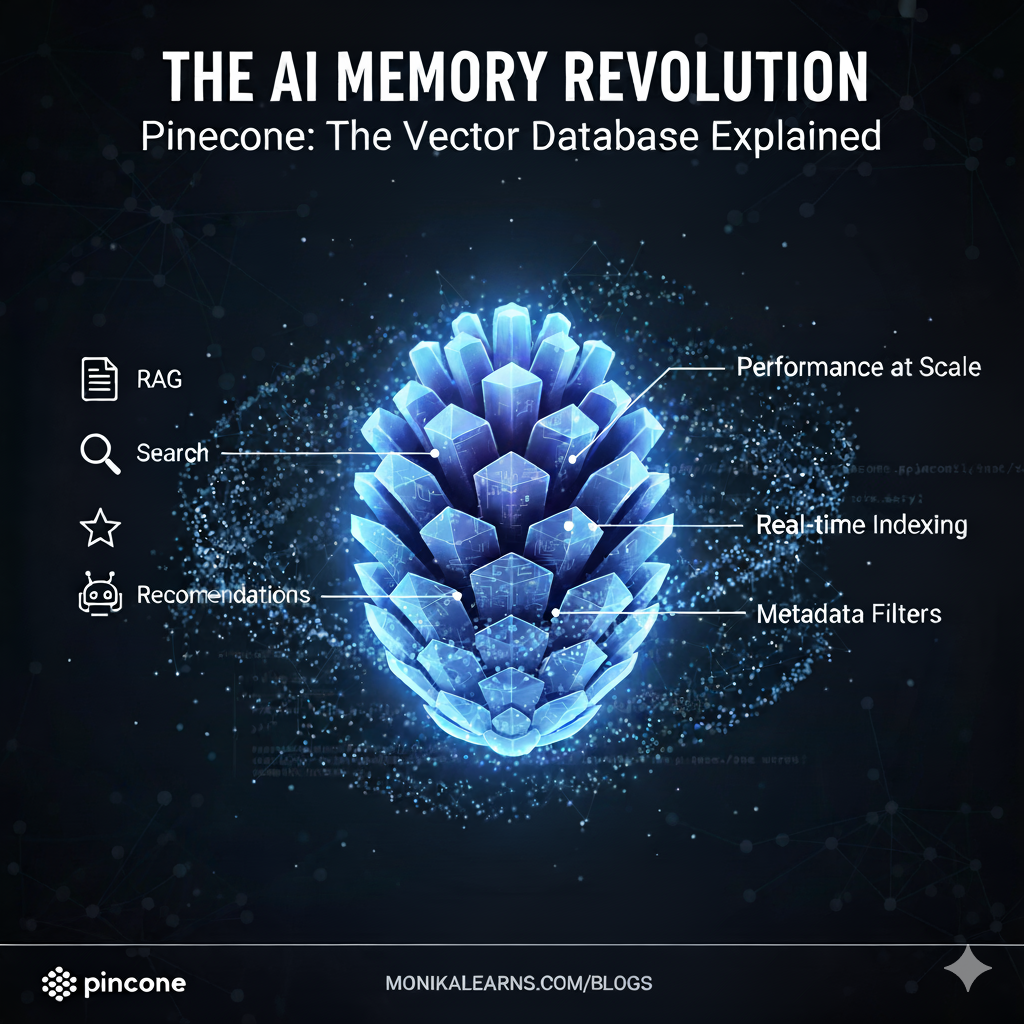
Pinecone is a vector database — a type of database built to store, manage, and search vectors, which are numerical representations of text, images, or other data.
Think of it like a super-smart librarian:
- You ask the librarian, “Show me books about animals.”
- A normal database would look for the word “animals” only.
- Pinecone understands meaning — it will also find books about “cats,” “dogs,” or “wildlife.”
So instead of just matching words, Pinecone matches concepts and meanings.
What Are Vectors?
AI cannot understand words like humans.
It needs numbers.
We convert text (or images/audio) into vectors — lists of numbers representing their meaning.
| Word | Meaning | Vector (example) |
|---|---|---|
| Apple | A fruit | [0.1, 0.8, 0.3, 0.7] |
| Mango | A fruit | [0.2, 0.9, 0.4, 0.6] |
| Car | A vehicle | [0.9, 0.1, 0.2, 0.3] |
Vectors that are close mean similar meaning (Apple & Mango), while far apart mean different concepts (Apple & Car).
Why Pinecone Is Needed
Suppose you built a legal chatbot and uploaded 1,000 law documents.
A user asks:
“What is the punishment for theft?”
You cannot scan all 1,000 documents manually — that’s slow.
Instead:
- Convert all documents into vectors.
- Store them in Pinecone.
- Convert the user question into a vector.
- Pinecone instantly finds the most similar document vectors.
- Your AI model generates an accurate answer.
Pinecone acts like the brain’s memory center for AI, storing and retrieving information by meaning, not just keywords.
How Pinecone Works: Step-by-Step
- Convert Text to Vectors
Use an embedding model like OpenAI’stext-embedding-3-small. - Store Vectors in Pinecone
Each document or piece of data becomes a vector stored in the Pinecone database. - User Query Converted to Vector
When a user asks a question, it’s turned into a vector. - Find Similar Vectors
Pinecone searches millions of stored vectors in milliseconds and finds the closest matches. - AI Generates Response
The matching vectors are sent to your AI model (like OpenAI) to produce the answer.
This process is called vector similarity search, the core feature of Pinecone.
Features of Pinecone
| Feature | Description |
|---|---|
| Fast Searches | Finds relevant vectors in milliseconds, even from millions of records. |
| Cloud-Based | Fully managed, no server setup needed. |
| Semantic Search | Understands concepts and meaning, not just keywords. |
| Integrations | Works with OpenAI, LangChain, Hugging Face, and more. |
| User-Friendly | Simple API, clear documentation, beginner-friendly. |
| Scalable | Easily scales as your project grows. |
| Flexible | Supports vectors from text, images, or audio. |
Pinecone + LangChain + OpenAI: How They Work Together
These three tools form the backbone of many modern AI applications, like your AI Legal Chatbot:
| Tool | Role |
|---|---|
| OpenAI | Converts text to vectors and generates responses. |
| LangChain | Connects your AI, database, and logic into one workflow. |
| Pinecone | Stores vectors and retrieves relevant information instantly. |
Workflow Example:
- User asks a question.
- LangChain sends it to OpenAI to create a vector.
- Pinecone finds similar vectors (relevant documents).
- OpenAI uses these vectors to generate an accurate response.
This is called RAG (Retrieval-Augmented Generation) — a system that combines AI reasoning with context.
How to Get Started With Pinecone: Complete Beginner Guide
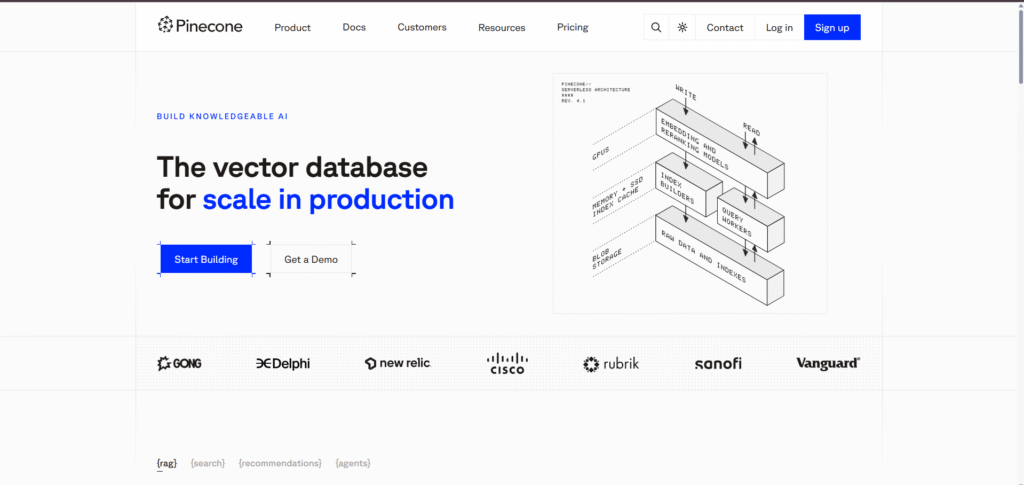
Image Source: Pinecone Official Website
1️⃣ Sign Up
- Go to https://www.pinecone.io/ → Click “Get Started Free.”
- Sign up with Google or email + password.
2️⃣ Log In
- After creating an account, go to https://app.pinecone.io → Click Log In.

Image Source: Pinecone Official Website
3️⃣ Generate Your API Key
- Open the Dashboard → Click API Keys.
- Click Create API Key → Give it a name (e.g.,
my-ai-chatbot-key). - Copy the generated key safely — you’ll use it in Python or LangChain.
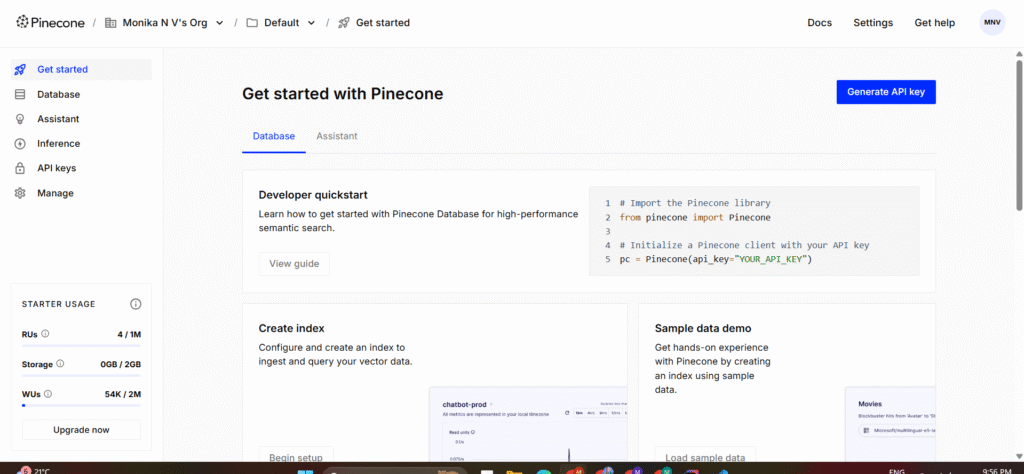
Image Source: Pinecone Official Website
4️⃣ Create a New Index
- Click “Create Index” on the dashboard.
- Fill in the details:
| Field | What to enter |
|---|---|
| Name | e.g., ai-chatbot-index (lowercase, no spaces) |
| Dimension | Depends on your embedding model, e.g., 1536 for OpenAI embeddings |
| Metric | cosine (recommended for semantic similarity) |
| Pod Type | starter for free tier |
- Click “Create” → Your index is ready in a few seconds.
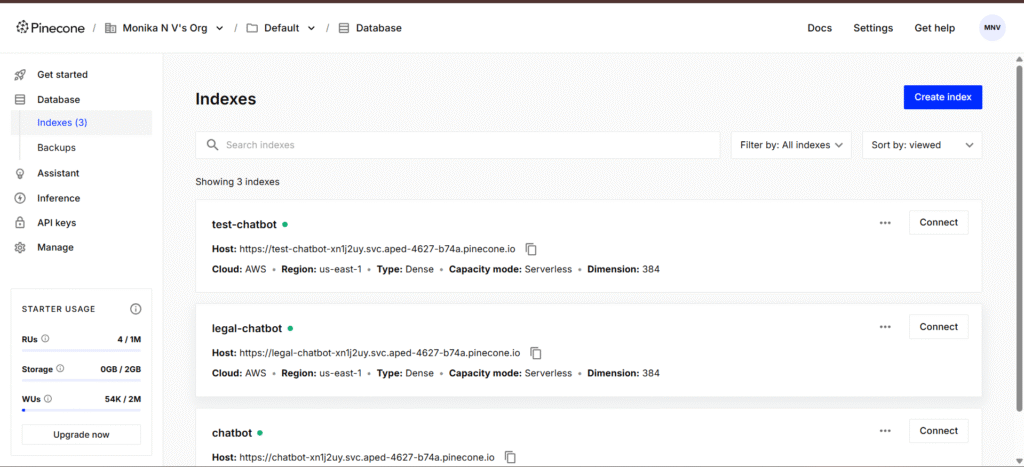
Image Source: Pinecone Official Website
5️⃣ Install Pinecone Python Client
pip install pinecone-client
6️⃣ Initialize Pinecone in Python
import pinecone

pinecone.init(api_key="YOUR_API_KEY", environment="us-east1-gcp")

index = pinecone.Index("example-index")
print("Pinecone connected successfully!")
7️⃣ Insert Vectors
vectors = [
    ("id1", [0.1, 0.2, 0.3]),
    ("id2", [0.4, 0.5, 0.6])
]
index.upsert(vectors)
8️⃣ Query Similar Vectors
query = [0.1, 0.2, 0.25]
results = index.query(vector=query, top_k=2)
print(results)
Congratulations — you’ve just built your first vector search system using Pinecone!
Real-World Use Cases of Pinecone
| Industry | Example Use Case |
|---|---|
| Chatbots | Provide accurate, context-aware answers. |
| E-commerce | Recommend similar products (“You may also like…”). |
| Education | Search related study materials. |
| Media | Suggest relevant movies, news, or articles. |
| Personal AI | Store long-term memory for assistants. |
Pinecone Explained
Think of your brain as Pinecone.
You recognize friends not by their names, but by faces, voices, and memories.
When you see someone new, you ask:
“Does this face look like any of my friends?”
That’s how Pinecone works — it compares new information with stored memories using numbers, not faces.
So Pinecone is like a brain for computers, helping them remember and find similar things.
Frequently Asked Questions (FAQs)
Is Pinecone free?
Yes! Pinecone has a free tier perfect for learning and small projects.
Do I need AI knowledge to use it?
No — basic Python knowledge is enough. Pinecone handles the complex vector logic.
Can Pinecone store images or audio?
Yes — any data type can be stored as long as it’s converted into vectors.
Is Pinecone better than a normal database?
For semantic search and AI memory, absolutely yes. Regular databases store text, but Pinecone understands meaning.
Conclusion: Pinecone — The Brain Behind Smarter AI
Pinecone is not just a database — it’s a memory system for AI, helping machines understand, recall, and reason like humans.
It makes your AI smarter, faster, and more contextual. Whether you’re building a legal chatbot, study assistant, or recommendation system, Pinecone gives your app a huge advantage.
Start your Pinecone journey today at https://www.pinecone.io/ and transform your AI projects into intelligent, context-aware systems.
You May Also Like
If you found this blog on Pinecone interesting, you might enjoy exploring more stories, tips, and insights in our Tech Journey blog category.