
Table of Contents
Mastering Advanced HTML : Introduction
Mastering HTML in 2025 made easy! Follow this complete step-by-step roadmap with free resources, projects, and a clear timeline to learn HTML from basics to advanced level.
HTML isn’t just the starting point of web development — it’s the core language that defines the web’s structure and accessibility.
While most beginners stop after learning basic tags and layouts, true mastery begins when you dive into advanced HTML concepts — the kind that separates amateurs from professionals.
If you’ve already built basic web pages and understand HTML fundamentals, this guide will help you level up your skills and become an expert in modern, semantic, accessible, and efficient HTML5.
This is your complete roadmap to mastering Advanced HTML — with a timeline, resources, hands-on tasks, and real-world projects.
Let’s begin.
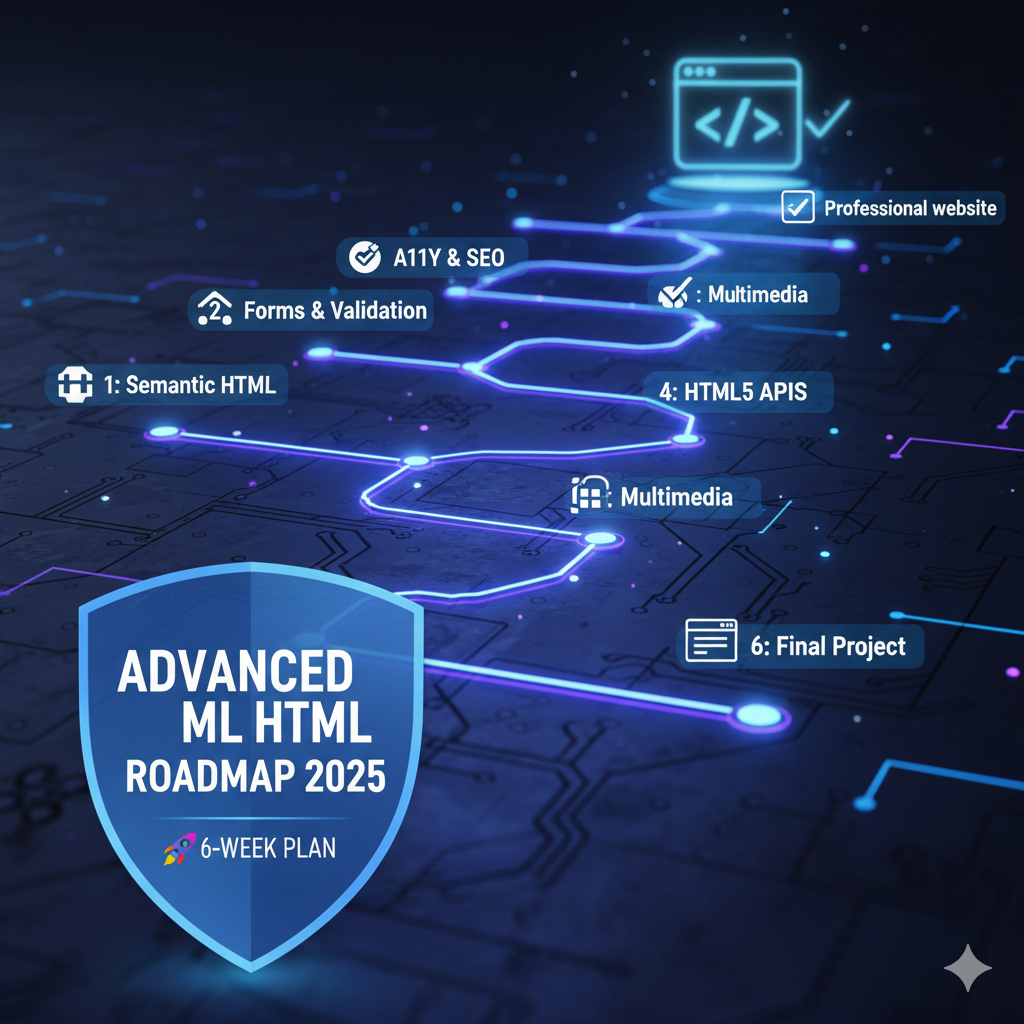
Advanced HTML Roadmap Overview (6-Week Plan)
We’ll divide the journey into 6 weeks, covering every advanced concept with practice goals and projects.
| Week | Focus Area | Goal |
|---|---|---|
| 1 | Deep Dive into Semantic HTML5 | Structure and meaning |
| 2 | Advanced Forms & Validations | Create dynamic, accessible forms |
| 3 | Accessibility (A11Y) & SEO | Make web content user-friendly & discoverable |
| 4 | Multimedia & Embedding | Integrate modern media elements |
| 5 | HTML5 APIs & Browser Features | Work with native APIs |
| 6 | Optimization, Validation & Final Project | Clean, efficient, professional-level HTML |
Week 1: Deep Dive into Semantic HTML5
Goal:
Understand and apply semantic tags to create structured, meaningful web layouts.
Topics to Learn:
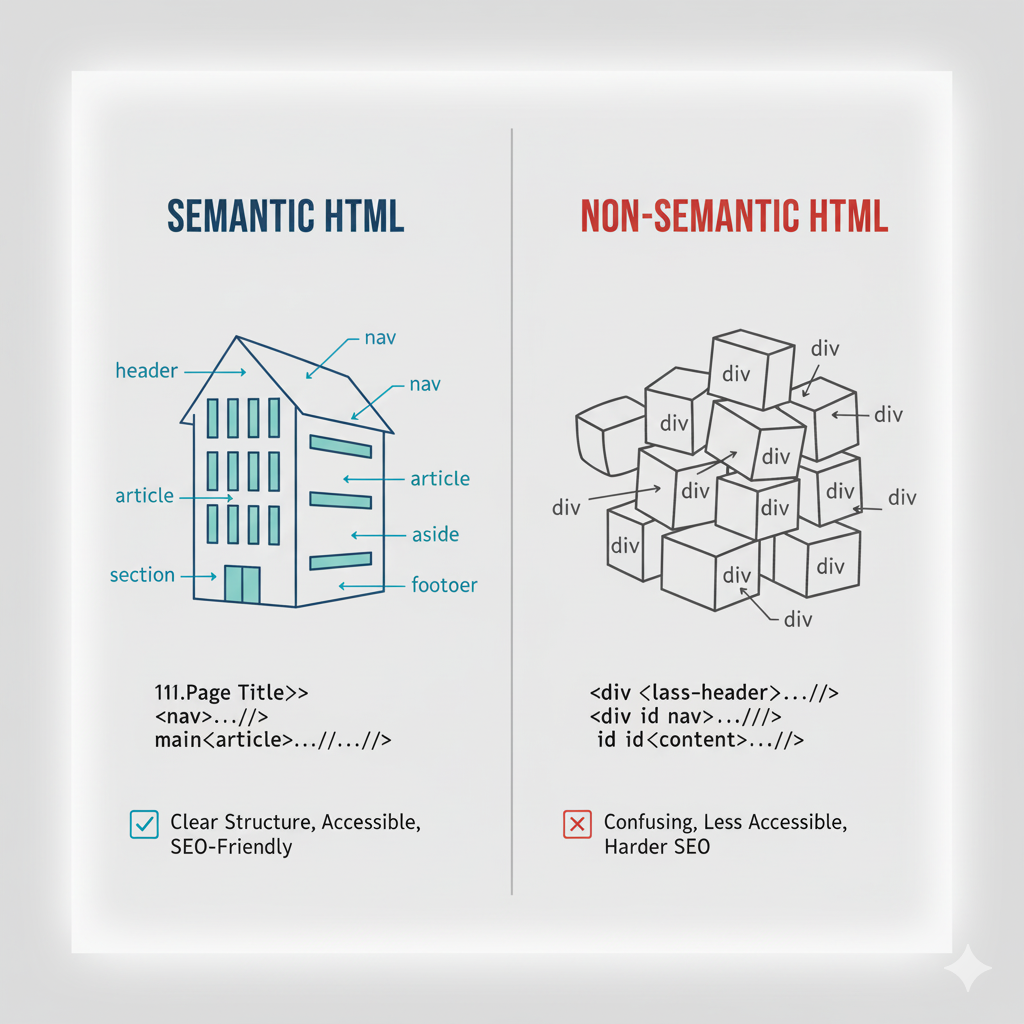
- Difference between semantic and non-semantic elements
- New HTML5 tags:
<header>,<main>,<section>,<article>,<aside>,<footer> <nav>and internal link structure<figure>and<figcaption>for visual content- Microdata & HTML5 outline
Resources:
Tasks:
- Rebuild your basic homepage using only semantic elements.
- Add a
<main>and<article>to improve structure. - Validate it using W3C Validator.
Mini Project:
“Personal Blog Layout” — Create a blog home page with articles, sidebars, and a footer, all using semantic HTML5.
Week 2: Advanced Forms & Validation
Goal:
Build complex, dynamic, and user-friendly forms with proper validation.
Topics to Learn:
- Advanced input types:
email,date,color,range,file,number - Form attributes:
autocomplete,required,pattern,min,max,step <fieldset>,<legend>,<datalist>- Client-side validation with HTML5 attributes
- File uploads & custom input styling
Resources:
Tasks:
- Create a registration form with multiple input types.
- Add validation using
required,pattern, andminlength. - Create a file upload input with preview.
Mini Project:
“User Feedback System” — Build a form for collecting user feedback with validation and custom input elements.
Week 3: Accessibility (A11Y) & SEO
Goal:
Ensure your HTML follows accessibility standards and is optimized for search engines.
Topics to Learn:
- Using
alt,aria-label, androleattributes - Keyboard navigation and screen reader support
- Color contrast & heading hierarchy
- Meta tags for SEO (
title,meta description,viewport) - Open Graph tags (
og:title,og:image)
Resources:
Tasks:
- Add proper
alttext for all images. - Use
aria-labelsfor navigation and form elements. - Write semantic headings (
h1–h6) in logical order.
Mini Project:
“Accessible Portfolio” — Rebuild your personal portfolio ensuring full keyboard navigation and SEO-friendly markup.
Week 4: Multimedia & Embedding
Goal:
Enhance web pages using multimedia, iframes, and interactive embedding.
Topics to Learn:
- HTML5 Multimedia tags:
<audio>,<video>,<source> - Attributes:
controls,autoplay,muted,loop,poster - Embedding YouTube videos, Google Maps, and social posts with
<iframe> <track>for captions and subtitles<canvas>basics
Resources:
Tasks:
- Embed a background video with controls.
- Add subtitles using the
<track>tag. - Create an interactive map section using an
<iframe>.
Mini Project:
“Media Showcase Page” — Build a multimedia gallery that includes videos, audio, and interactive embeds.
Week 5: HTML5 APIs & Browser Features
Goal:
Explore built-in HTML5 APIs that enhance web capabilities without JavaScript frameworks.
Topics to Learn:
- HTML5 Geolocation API
- Web Storage (LocalStorage & SessionStorage)
<progress>and<meter>elements- Drag and Drop API
<details>and<summary>for collapsible content
Resources:
Tasks:
- Add a
<progress>bar to show task completion. - Create a
<meter>for system status display. - Use
<details>and<summary>for FAQs.
Mini Project:
“Interactive Dashboard” — Combine progress, meter, and storage APIs to create a live dashboard page.
Week 6: Optimization, Validation & Final Project
Goal:
Polish, validate, and deploy a professional HTML project with clean, semantic, and efficient code.
Topics to Learn:
- Code validation using W3C Validator
- Minifying and organizing HTML
- Lazy loading images for performance
- Responsive meta tags and viewport setup
- Favicon and SEO metadata setup
Resources:
- Google PageSpeed Insights
- Can I Use for compatibility
- HTML Validator Chrome Extension
Tasks:
- Run your HTML through the validator and fix errors.
- Optimize all images with
loading="lazy". - Add proper meta tags for SEO and social sharing.
Final Project:
“Responsive Personal Website” —
Build a fully semantic, accessible, and performance-optimized 3–5 page website. Include:
- Homepage
- Blog section
- Contact form
- Embedded media
- SEO tags
- Hosted live via GitHub Pages
Advanced HTML Projects to Practice
| Level | Project | Skills Covered |
|---|---|---|
| Intermediate | Tech Blog Page | Semantic layout + accessibility |
| Intermediate | Product Landing Page | Multimedia + forms |
| Advanced | Portfolio Website | SEO + performance optimization |
| Advanced | HTML5 Dashboard | APIs + dynamic elements |
| Expert | News or Magazine Layout | Complex grid + ARIA roles |
Tips to Master Advanced HTML Faster
- Always validate your code – It prevents errors early.
- Use semantic HTML – Improves SEO and accessibility.
- Study real websites – Inspect elements and learn from structure.
- Keep accessibility in mind – Always include alt text and ARIA labels.
- Stay updated – Follow MDN Web Docs for the latest features.
Tools to Support Advanced HTML Learning
| Tool | Use | Link |
|---|---|---|
| VS Code | Code editor | Download |
| CodePen | Live HTML testing | Visit |
| GitHub Pages | Free hosting | Visit |
| Favicon.io | Create site icons | Visit |
| Lighthouse | Performance audits | Try it |
Timeline Summary: Master Advanced HTML in 6 Weeks
| Week | Focus | Project |
|---|---|---|
| 1 | Semantic HTML5 | Blog Layout |
| 2 | Forms & Validation | Feedback Form |
| 3 | Accessibility & SEO | Portfolio Upgrade |
| 4 | Multimedia & Embedding | Media Gallery |
| 5 | HTML5 APIs | Dashboard Page |
| 6 | Optimization & Final | Complete Website |
Conclusion
Mastering Advanced HTML means more than knowing tags — it’s about writing clean, accessible, SEO-optimized code that forms the backbone of any great website.
By following this 6-week roadmap, you’ll gain not only advanced technical knowledge but also real-world experience through projects that you can proudly showcase in your portfolio.
Remember:
“HTML defines the structure; CSS adds the style; JavaScript brings it to life. But great developers know — structure always comes first.”
Keep building, keep improving, and soon you’ll be a true front-end professional.
You may also like:
Mastering HTML Tags: A Complete Guide with Examples — Learn every essential HTML tag, its purpose, and how to use it to structure powerful, accessible web pages.